
Changelog
Stay up to date with the latest features, improvements, and updates to Proofdesk
The IOMFSA have introduced a new AML/CFT Nationality Return in Strix, asking firms to report the nationalities of their Natural Person Customers for the year up to 31st December 2025. The deadline for submission is Friday 14th August 2026. The guidance document can be found here: https://www.iomfsa.im/media/3627/strix-nationality-guidance.pdf
This return is now available in Proofdesk, including Export to Strix.
A change to how nationalities are stored
Previously, Proofdesk stored a single Primary Nationality against each entity. To support this return, and the returns we expect to follow, we've replaced that field with a Nationalities field capable of holding multiple values.
If your firm had previously added a custom Other Nationalities field, we've merged that data into the new Nationalities field automatically. No action is needed for that migration.
Because only a single nationality was stored before this change, running the return will produce results for first nationalities only. Where a customer holds more than one nationality, their second and third will need to be added manually in Strix for the Nationality Return. The nationalities should also be added to their record in Proofdesk so they're captured automatically before the next Statistical Return.
Why fill in second and third nationalities now
The IOMFSA have confirmed these questions will feature on future Statistical Returns, so the data will be needed again. There's also no guarantee the scope won't extend to UBOs of non-natural customers in future. Capturing full nationality data now means you won't be doing it twice.
Running the return
Two reports are available:
To use Export to Strix, you'll need to add your Strix Identifier to your Proofdesk organisation. You can find a short guide on locating it here: https://help.proofdesk.com/article/find-your-strix-identifier
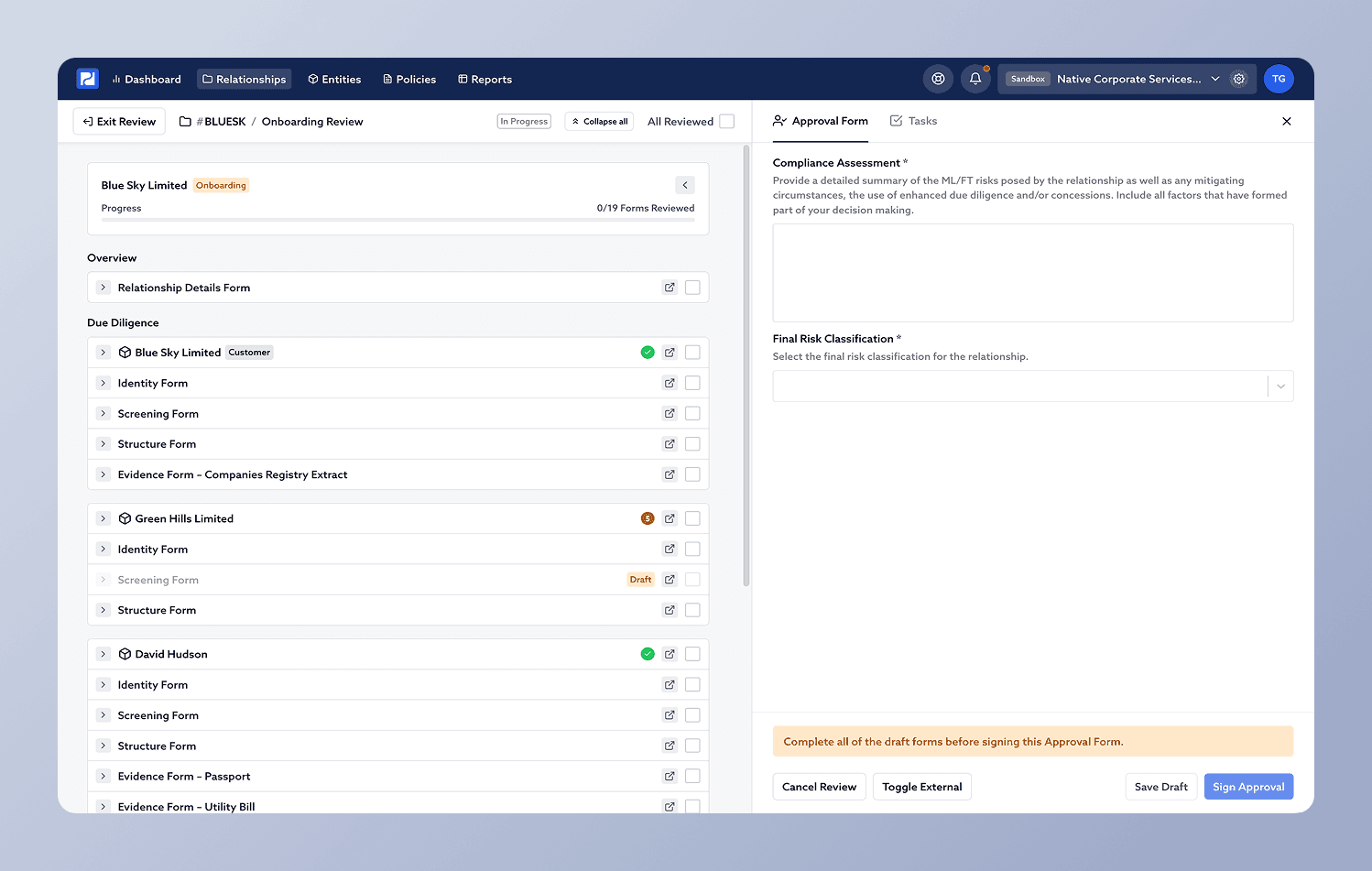
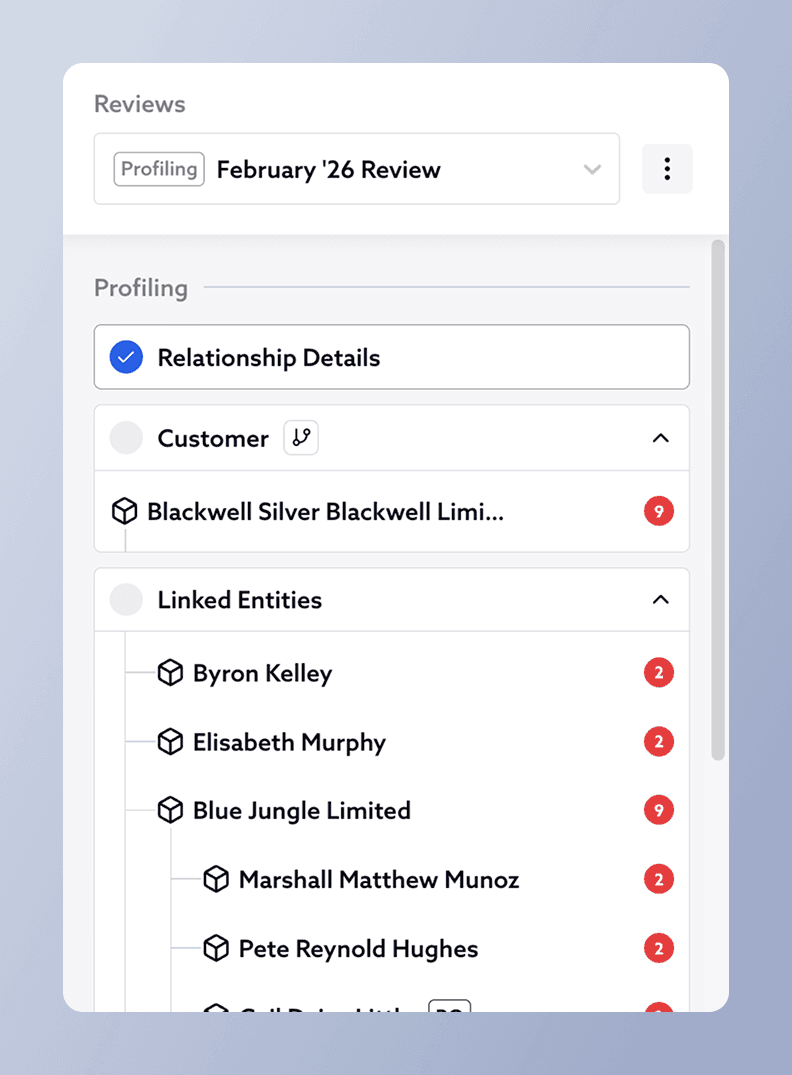
We're pleased to announce that the review process in Proofdesk is getting a major upgrade with our upcoming Review Viewer feature.
Because Proofdesk hasn't had a dedicated place to conduct reviews, we've had feedback that it's difficult for reviewers to have a clear and repeatable workflow, where they can see everything that needs attention during a review.
The purpose of the new Review Viewer is to enable reviewers to look at all the different documents associated to the relationship as effectively as possible, checking each document off as they go. Reviewers will be able to browse a structured view of the whole relationship including Relationship Details, Structure Chart, entity CDD forms, and the CRA. In addition they will be able to quickly create tasks if remediations are required before approval, all as part of their workflow. Completion and sign-off of the Relationship Approval form will now be done straight from the Review Viewer, where all the facts of the relationship are clearly visible at a glance. The Review Viewer can also be used to see past reviews, and to export a complete summary of the relationship as it was at the date the review was completed.
We have also heard from several firms that they often need to update forms such as Relationship Details and CRA without initiating a new review immediately. This applies particularly in cases where minor administrative updates, or corrections of errors need to be made without a full review needing to take place. To address this we have made several updates to Relationship pages, allowing the editing of these forms at any time independently of the review process.
Below are a lists of the key changes to be aware of in this release:
Updates to the Relationship Navigator Bar (located on the left hand side of relationship pages)
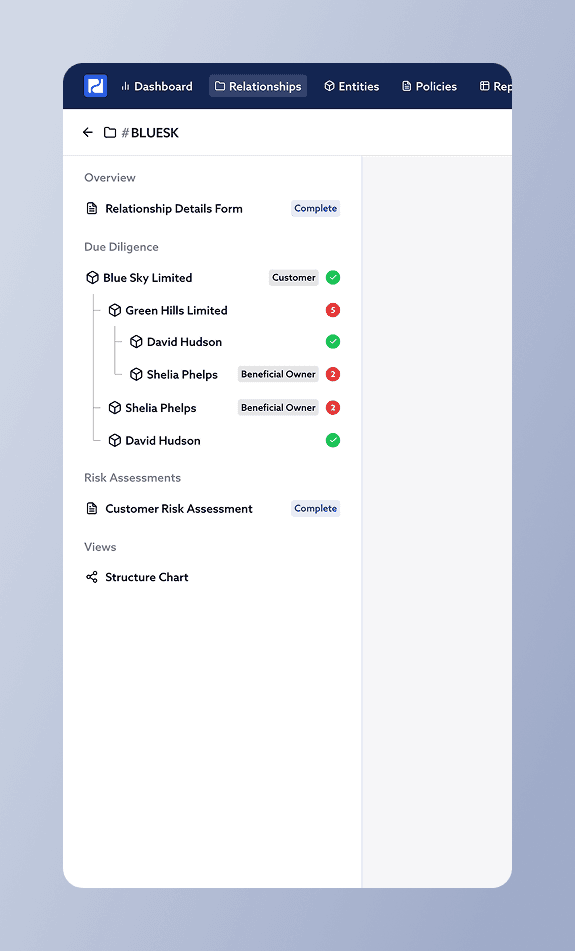
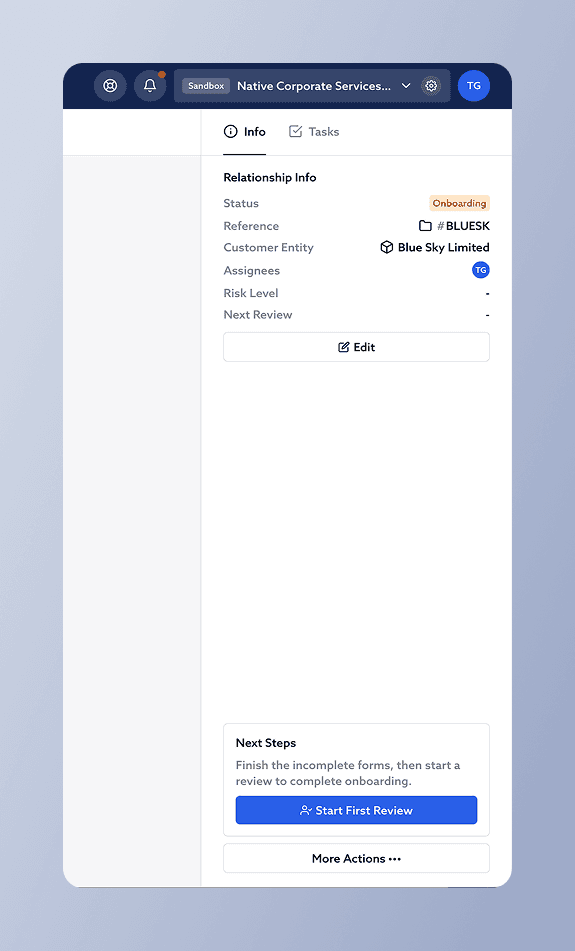
Updates to the Relationship Sidebar (located on the right hand side of relationship pages)
The New Review Viewer
General Updates
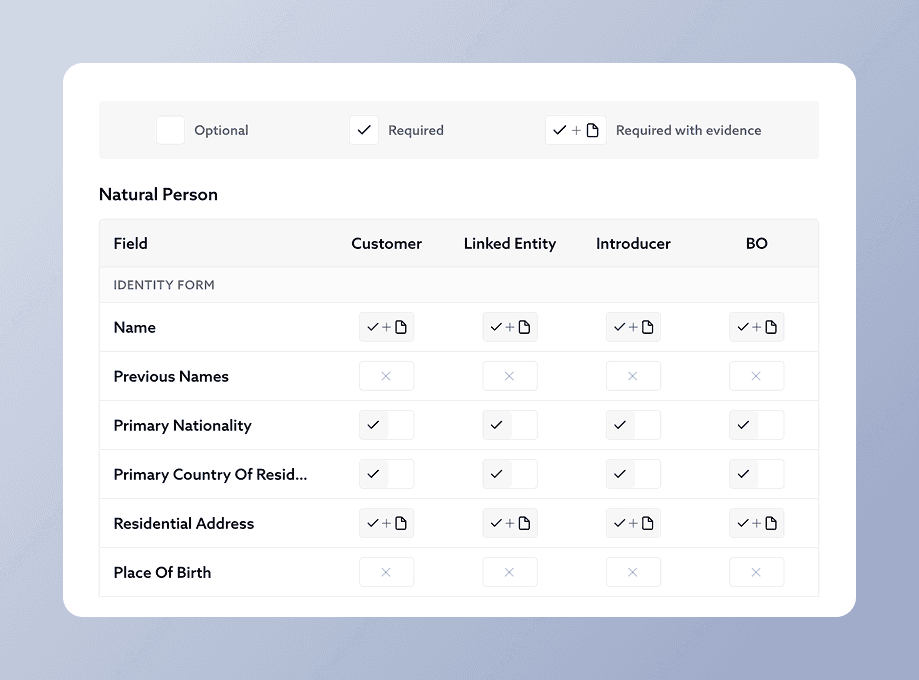
We're making a set of changes to how CDD requirements and evidence are configured and captured in Proofdesk. Most of these will take effect automatically but some introduce new capabilities that you can configure manually.
CDD Policy (formerly Identity Policy)
We're renaming Identity Policy to CDD Policy. This is purely a language change to better reflect what the policy governs, and to align with the terminology used elsewhere in the platform. No reconfiguration is needed and your existing policy carries over automatically.
ECDD requirements removed
When we built the original Identity Policy, we assumed ECDD requirements could be prescribed in advance. In practice, most organisations approach enhanced due diligence on a case-by-case basis, tailoring the measures taken to the specific relationship and risk profile. A fixed ECDD column in the policy doesn't reflect this reality, and the regulator expects that enhanced measures are documented at the relationship level, not prescribed at the policy level.
We're removing the ECDD column from the CDD Policy. Relationships flagged as Higher Risk will continue to be identified as such, but the system will no longer automatically switch to a separate set of CDD requirements for those relationships.
What we recommend instead: add an Enhanced Customer Due Diligence textbox to your Approval Form, where senior team members can document and justify the specific measures taken for each higher-risk relationship. If you don't already have this field, get in touch and we can add it for you.
Screening and Structure forms now included in CDD Policy
Previously, the CDD Policy could only reference fields from the Identity Form. This was a limitation of the platform's original scope, before the Screening and Structure forms were introduced.
Following this update, the CDD Policy will also cover fields from those forms. To configure which fields are required, create a new version of your CDD Policy and the additional sections will appear automatically at the bottom. Your existing policy will continue to work unchanged until you're ready to expand it.
Visual improvements to CDD Policy
The "I" and "V" toggle buttons in the CDD Policy are being replaced with clearer icons and an explanatory key. No action is needed as this is a visual change only.
Evidence (formerly Documents)
The Documents tab within each entity is being renamed to Evidence, to align with the language used in the updated CDD Policy.
Multiple attachments per evidence entry
Each evidence entry can now include more than one file. This is useful where a single piece of evidence naturally spans multiple documents. For example, front and back scans of a driving licence, or a passport alongside a screenshot of the accompanying email.
Evidence Types
Organisations can now define Evidence Types for commonly used documents like Passport, Utility Bill, Register of Members, and so on. Each Evidence Type pre-defines which CDD fields it satisfies, so when a user selects a type during upload the relevant fields are populated automatically.
This reduces the manual effort involved in each upload and eliminates the inconsistencies that can arise when different users name and categorise documents differently.
To get started, configure your Evidence Types in Organisation Settings before uploading new evidence.
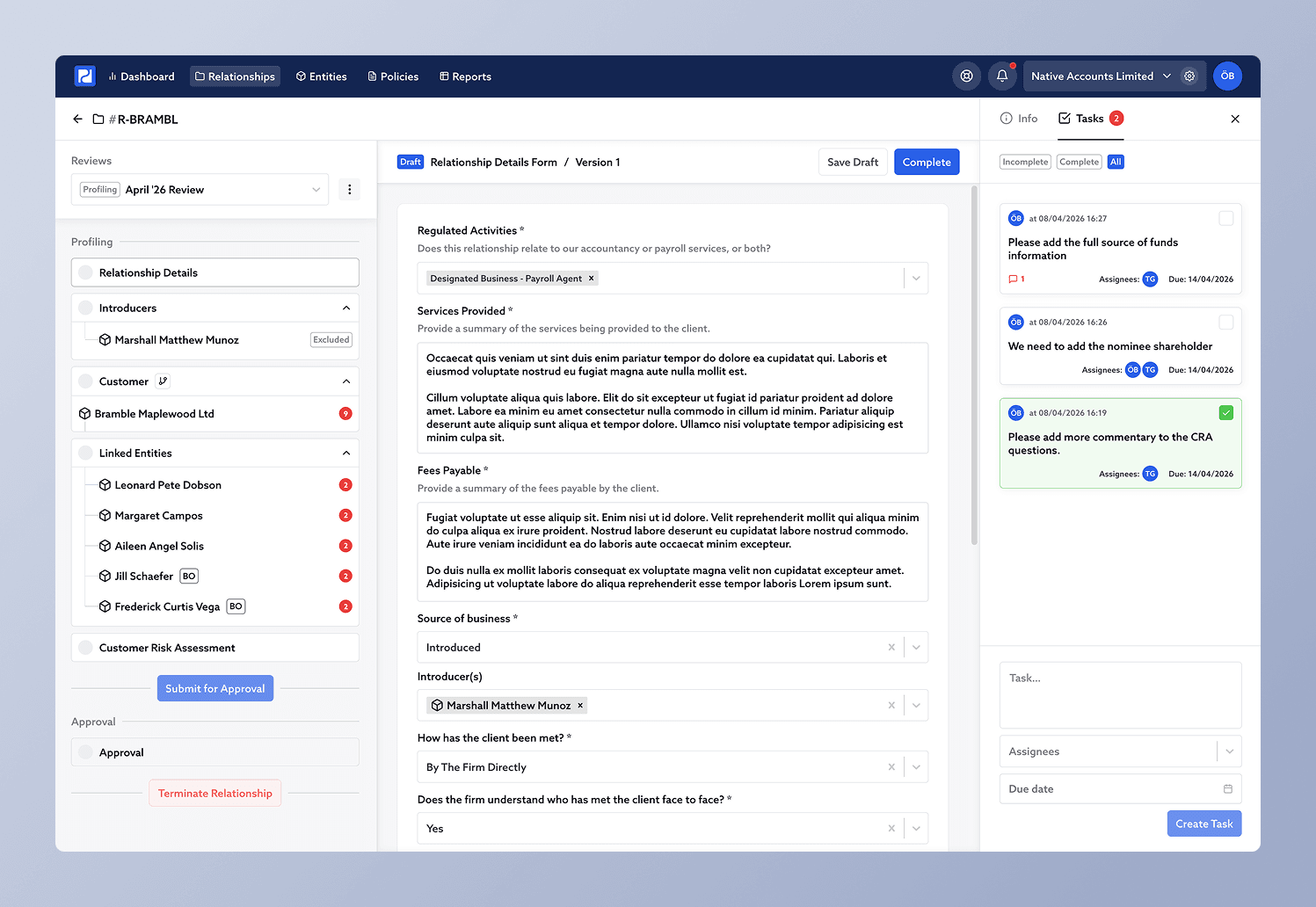
We are pleased to announce the upcoming Tasks feature in Proofdesk! Tasks replace the existing “Remediations” feature, which was limited in how often it was useful. For those who made use of the Remediations feature in the past, all existing remediations will appear as tasks in the same relationships where they were originally created.
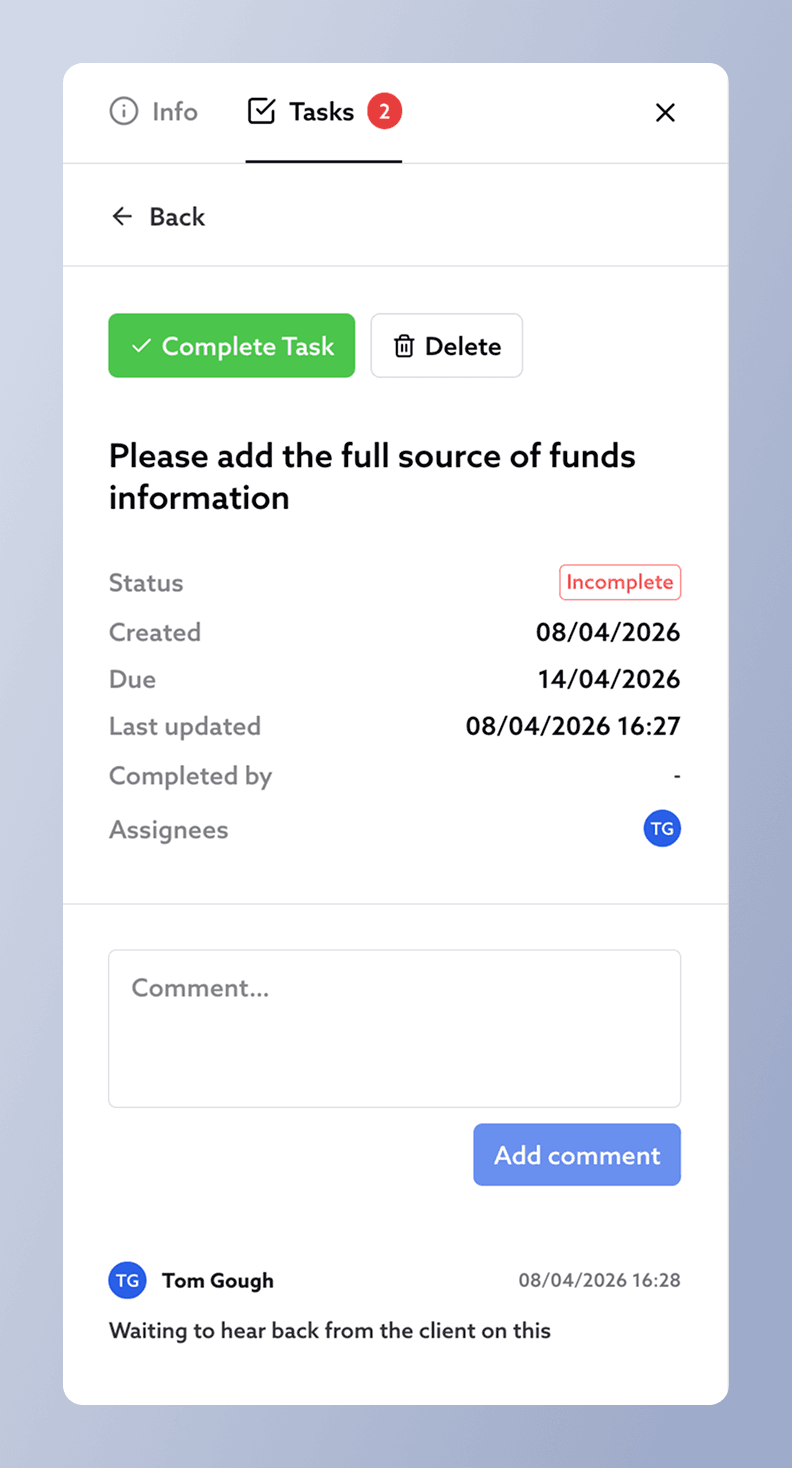
Tasks can now be created in any relationship from the recently added Relationship Sidebar. Tasks can be assigned to one or many team members and have an associated due date. Once a task is made, it contains its own comment thread which can be used for discussion.
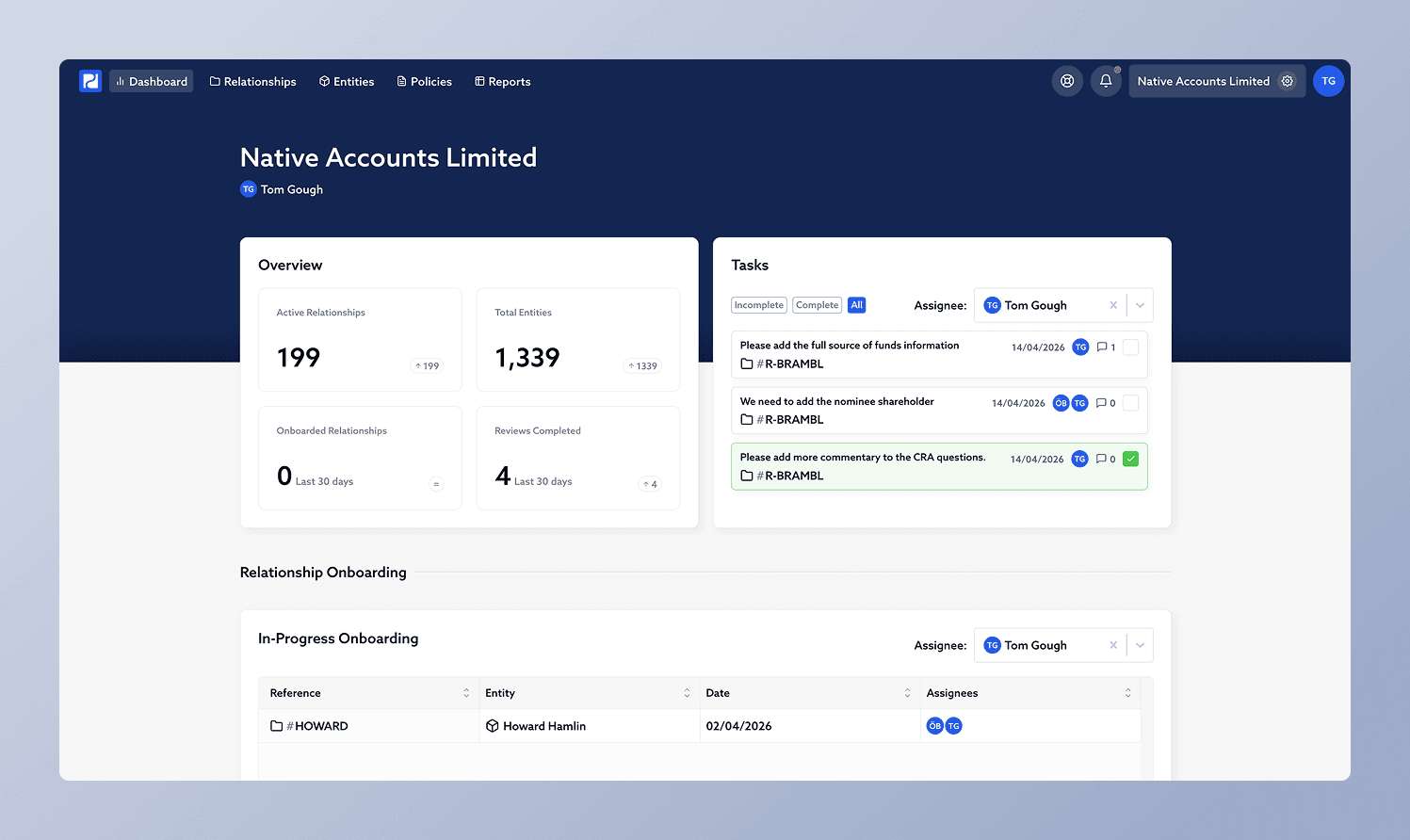
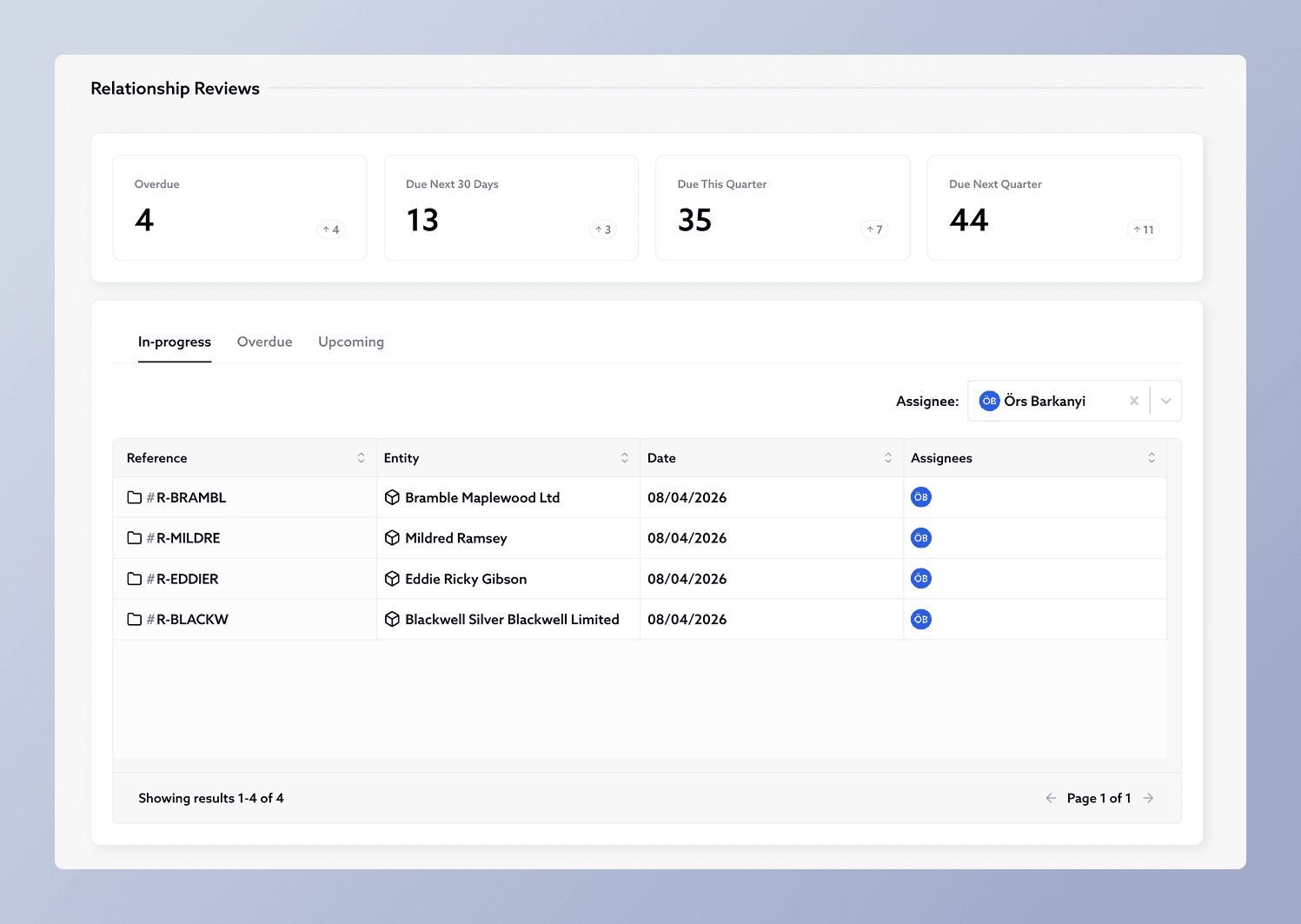
A new tasks widget will be available in the dashboard, which shows all tasks assigned to the current user across every relationship in the organisation. It can also be used to view tasks assigned to others. The tasks widget takes the place of the existing “Upcoming Reviews” widget, which has been moved further down the page to the “Relationship Reviews” section.
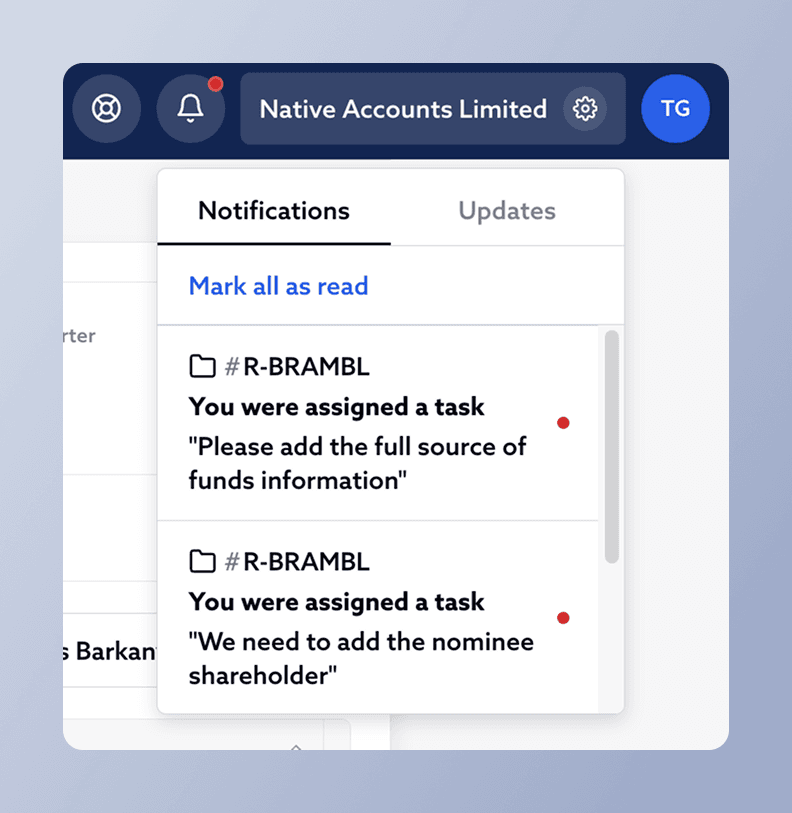
With this update we also bring improvements to notifications in Proofdesk. “Relationship Notifications” which were previously only received by email, now also appear in the top navigation bar together with the recently added “Updates” section. Notifications will now also include ones about new and completed tasks. The email notifications associated to these can still be configured from the user settings dropdown in the top navigation bar. Email notifications are disabled by default, as before.
New Relationship Sidebar
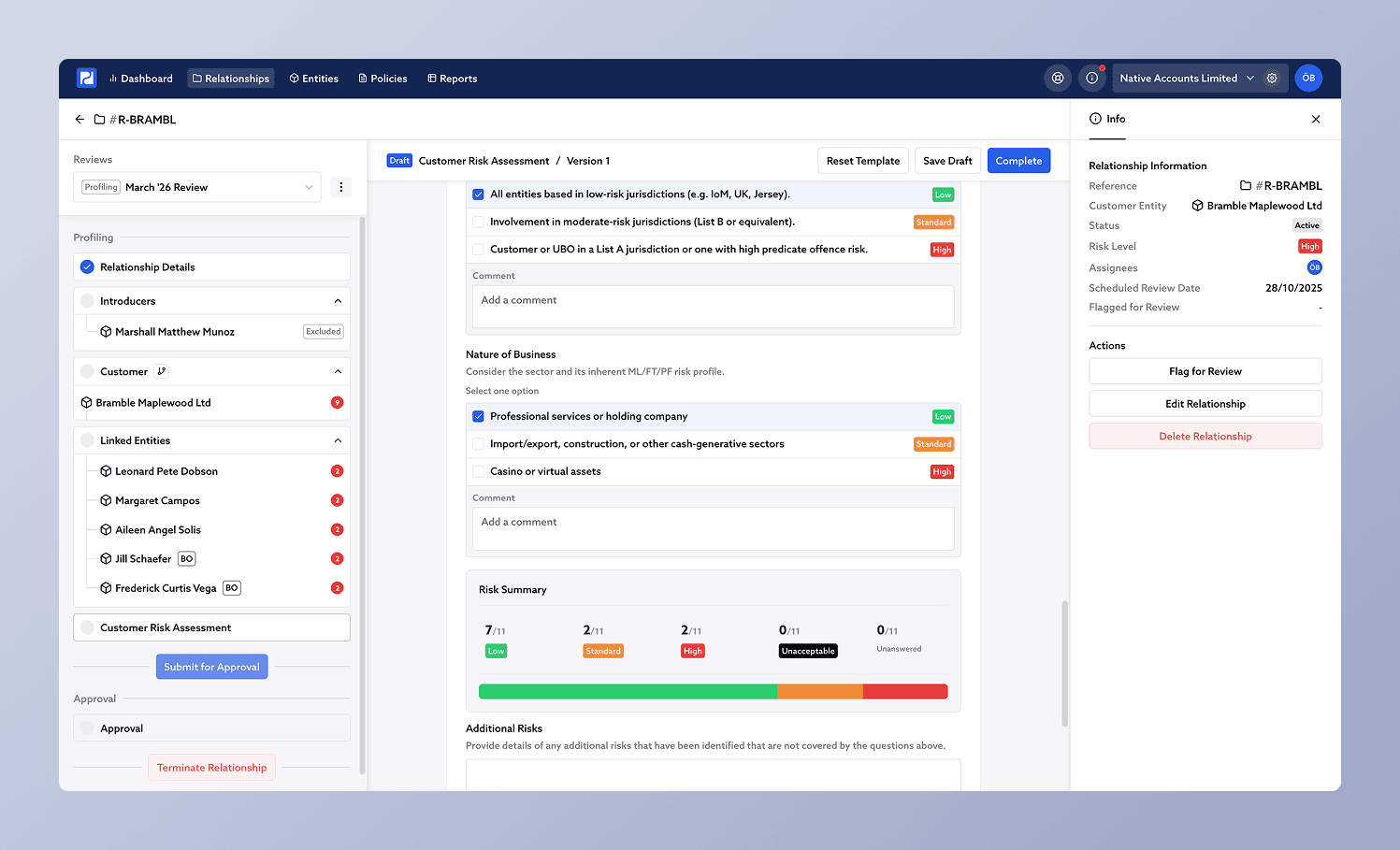
Information about a relationship can now be found in a new dedicated sidebar on the right when viewing the relationship. This clears extra space to see the forms and entity structures in the existing review panel on the left.
Actions which were previously hidden in a dropdown menu now also have a dedicated place in the new sidebar. These include:
The Terminate Relationship action is still accessed from the review panel on the left, but is now located at the bottom of the review checklist.
The new sidebar can be hidden and is resizable by dragging its edge. It will be home to some powerful features coming within the next few weeks.
Entity Sidebar Update
The entity sidebar is now also resizable by dragging its edge.
Other Minor Improvements and Bug Fixes
Updated Risk Summary for Scored CRAs
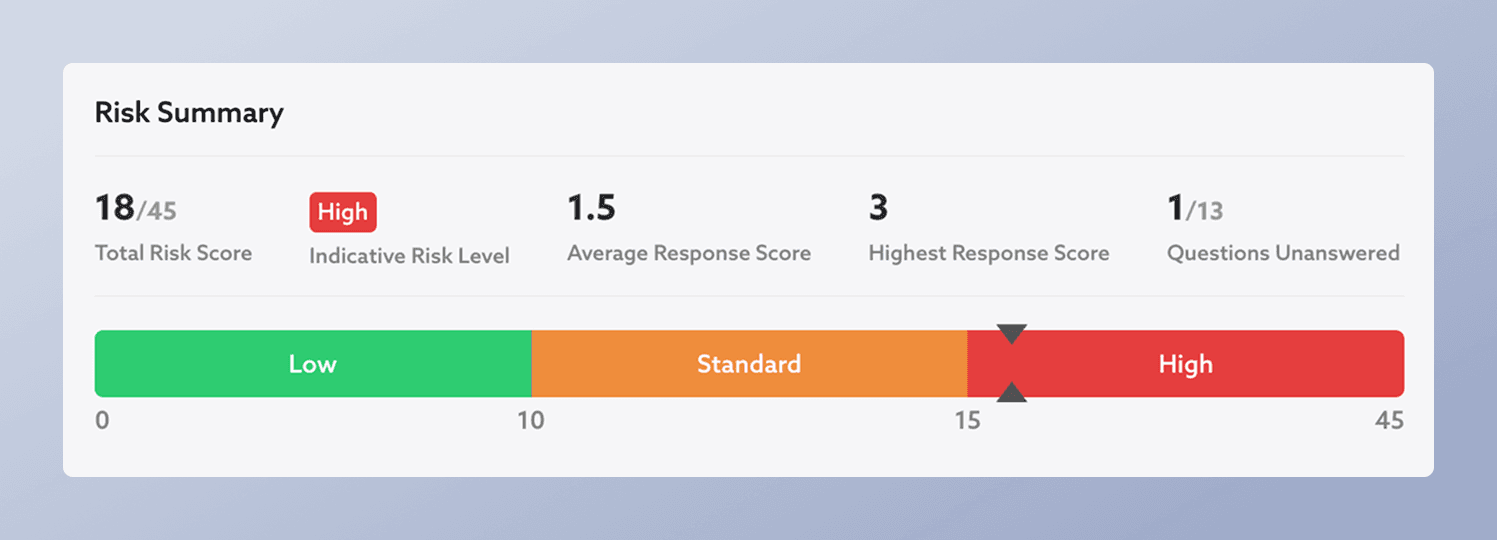
Previously, the risk summary for scored CRAs was hard to read when some score ranges were significantly wider than others. Ranges are now represented as equally spaced segments with scale indicators for better readability.
In addition, other useful figures are shown for better insight into the answers given in a CRA. These are:
New Risk Summary for Risk Level Based CRAs
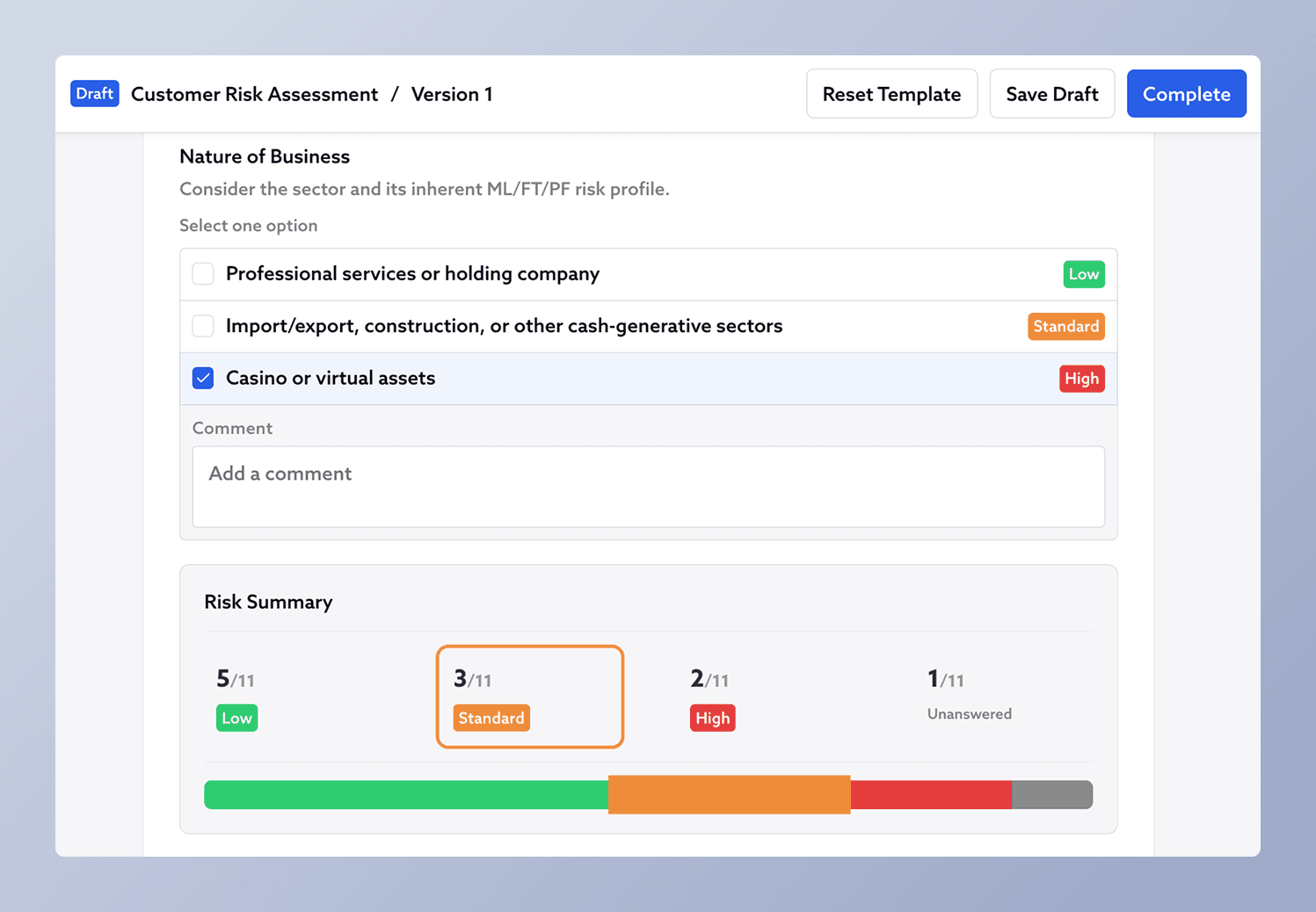
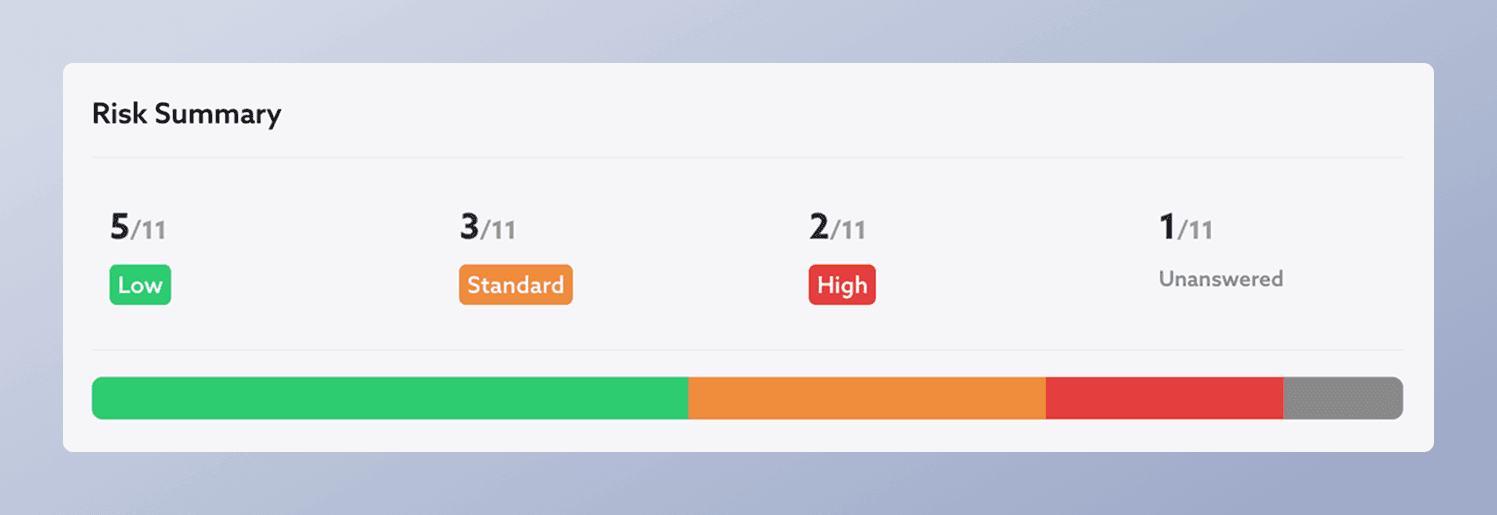
Previously only Risk Scored CRAs had a risk summary. Now there is also a summary for Risk Level Based CRAs. It shows figures for how many answered questions fall under each of the Organisation’s Risk Levels, as well as how many questions are unanswered. Hovering over each of the risk levels highlight the corresponding section of the visualisation bar.
New Entity CDD Panel in Entity Sidebar
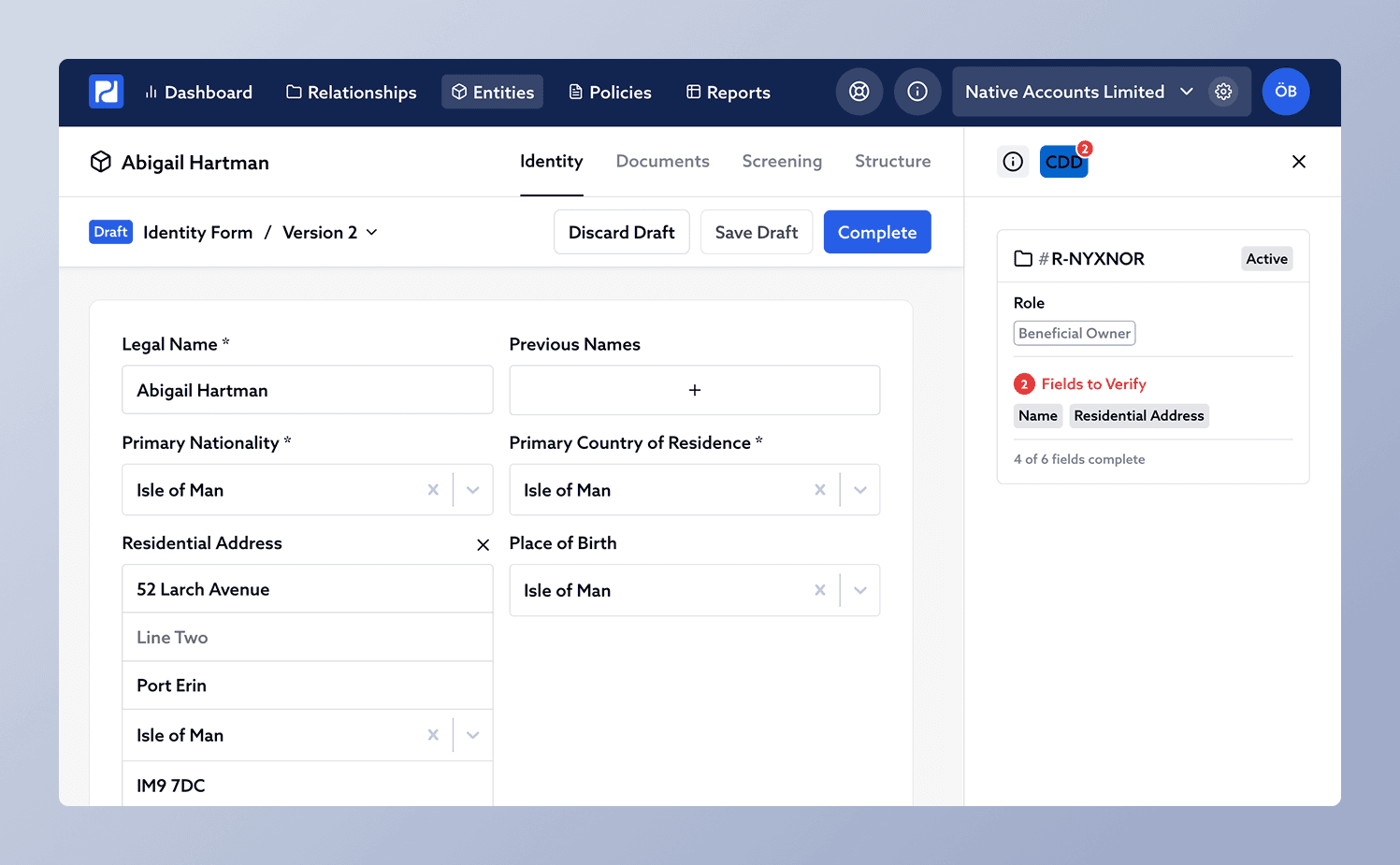
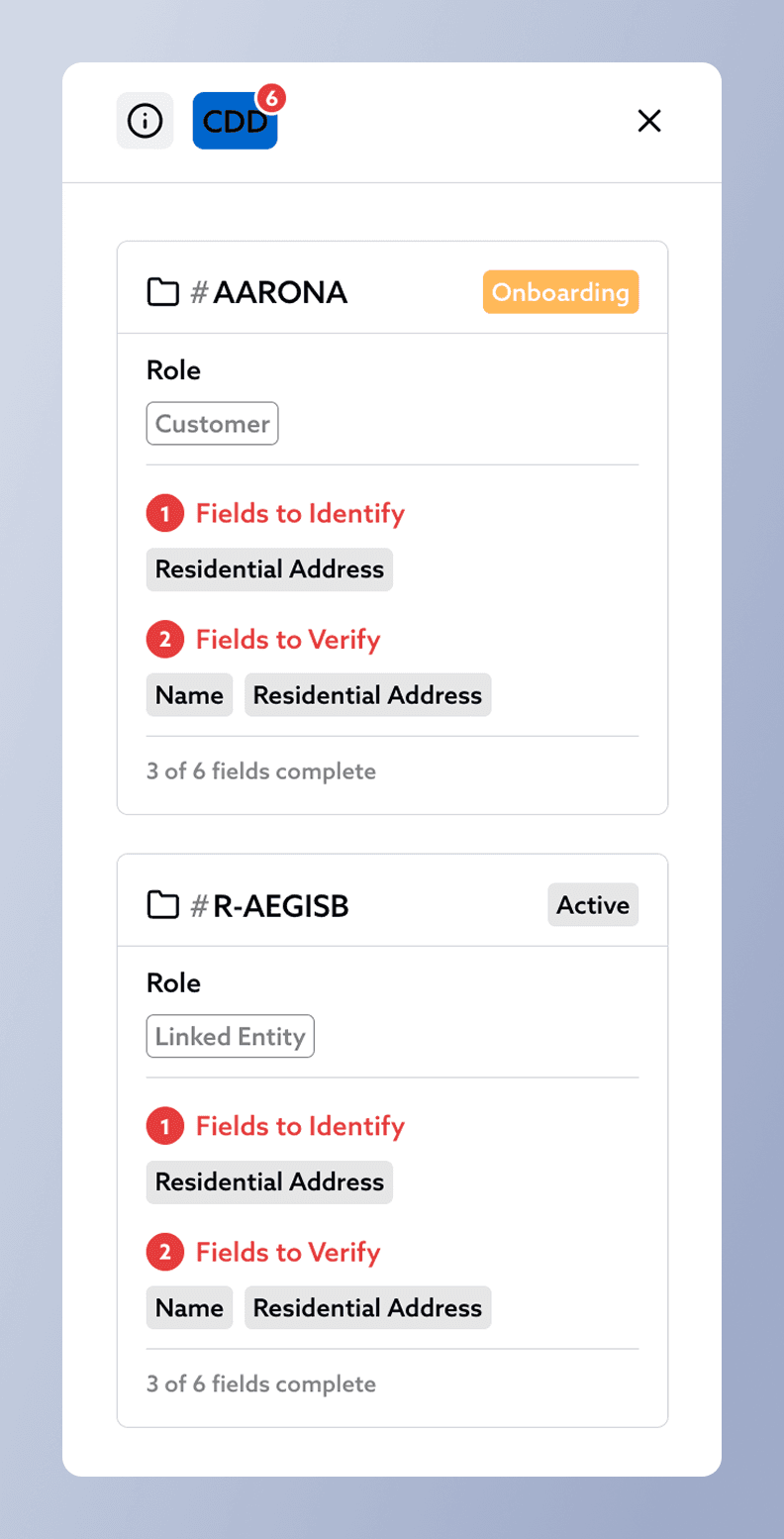
Previously it had been difficult to see missing CDD when looking at an entity profile. Since an Entity could be used in several relationships, one entity could be subject to multiple CDD requirements based on its multiple roles.
A new CDD panel in the Entity Sidebar lists which relationships an entity appears in, along with warnings for where the CDD requirements aren’t met as per the organisation’s Identity Policy. This panel shows which CDD components are yet to be identified and which are yet to be verified with supporting documents.
CDD Completion in Entity List
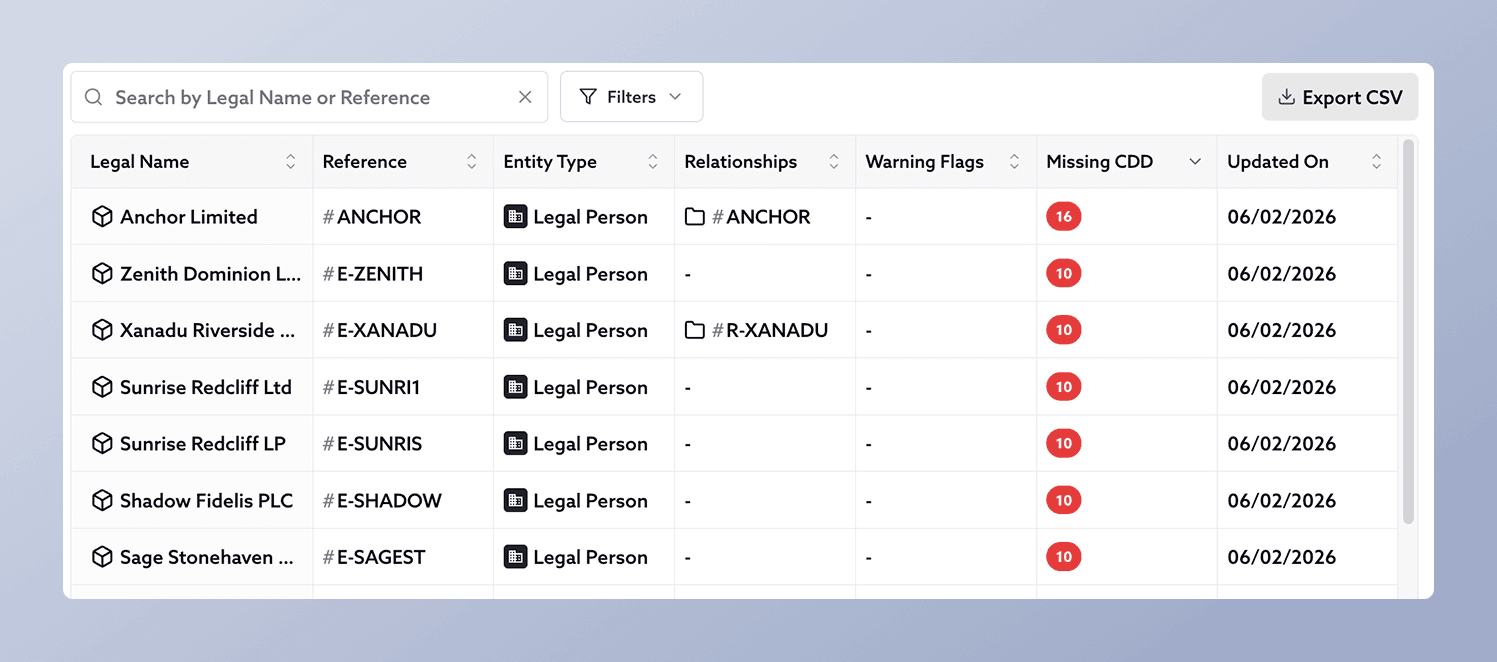
It has been widely requested that CDD completion be shown in the Entity List for increased oversight on which entities in the system require action. A “Missing CDD” count column is now available, which can be used to filter or sort entities requiring attention.
Updated CDD Indicators in Relationship Sidebar
Until now, CDD completion has been shown as a progress bar in the Relationship Sidebar. While this indicated when the organisation’s Identity Policy requirements weren’t being met, it caused some disjoint in indicating what action needs to be taken to complete the progress bar. Incomplete CDD in the Relationship Sidebar is now shown as a count of incomplete CDD elements using the same warning circles as everywhere else.
Countries Lists
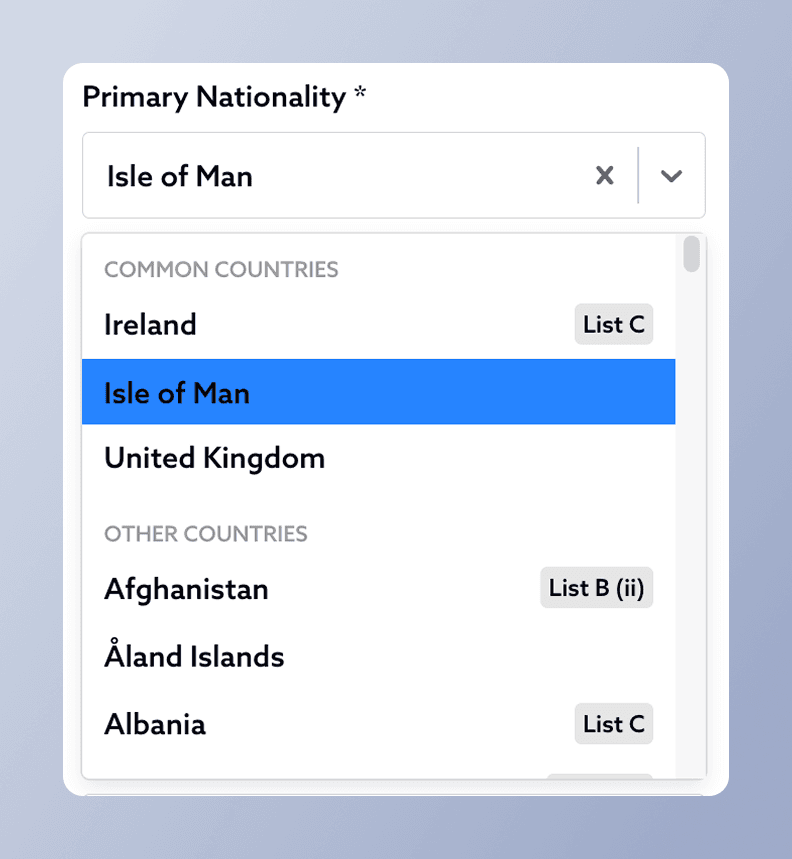
When selecting countries across Proofdesk, users had to reference the Countries Lists published by the Department of Home Affairs. For convenient reference, country selectors across Proofdesk now tag countries appearing on the following Lists:
The tags in Proofdesk are correct as per the latest lists published in October 2025, and will continue to be updated in line with further updates. More information on the lists can be found here.
Additional Improvements
Bulk Actions Toolbar
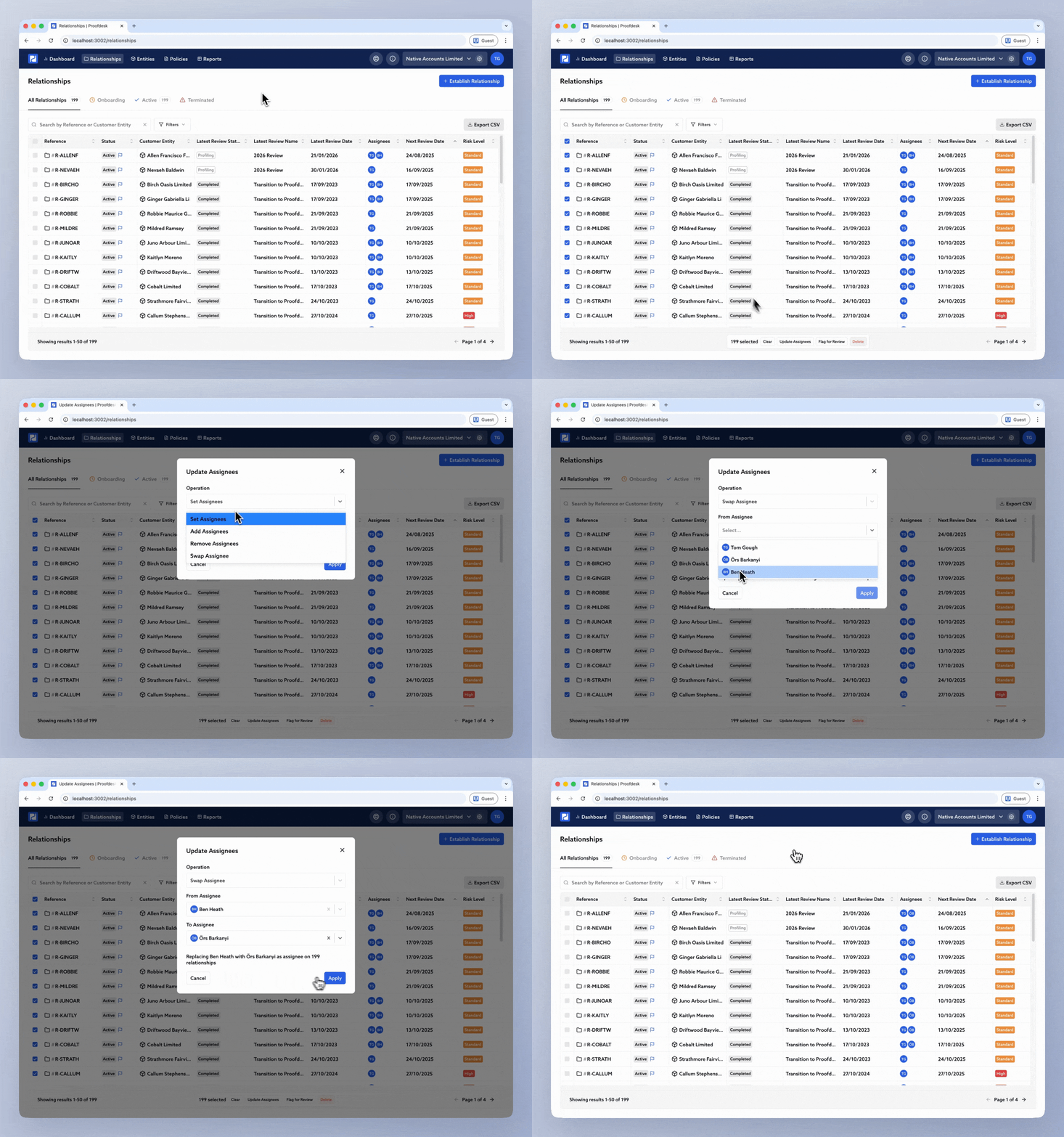
Previously, updating assignees on a Relationship meant going through them one at a time. That was particularly laborious when you needed to change many at once, for example when someone left or joined your organisation. The Relationships table now lets you select multiple relationships and run bulk actions on them at once.
First, use the table filters to find the relationships you need (for example, all high risk). Then use the checkboxes to select them: click individual rows, shift-click to select a range, or use the checkbox in the header row to select the whole page (click it twice to select all pages). When you have one or more selected, a bulk actions toolbar appears at the bottom of the window showing how many are selected, with a Clear button to deselect all.
The toolbar offers three actions:
When updating assignees, you can choose between multiple operations:
Multi-Answer CRA Questions
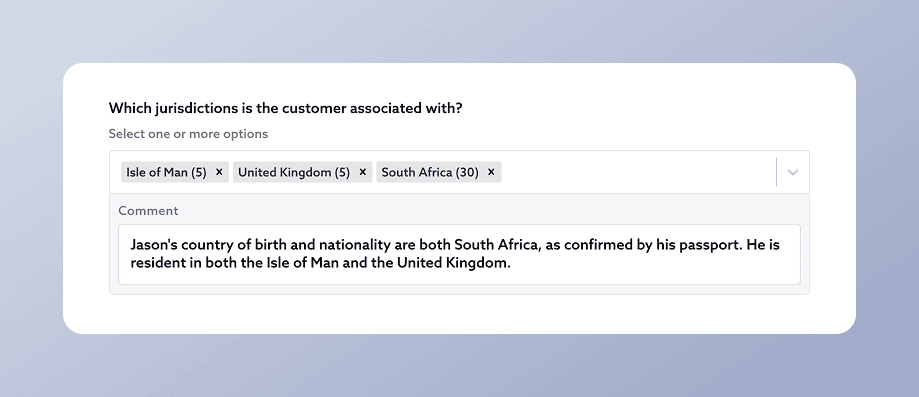
Until now, Customer Risk Assessment (CRA) questions only allowed one answer. Organisations can now set questions as "Multi Select" when setting up their template, so respondents can choose multiple answers. This works for both Risk Levels and Risk Scoring.
If you use Risk Scoring, Proofdesk uses the score of the highest-scoring selected option when calculating the total score. Multi select is well suited to questions like "What services are we providing?" or "Which jurisdictions is the customer associated with?" where more than one answer often applies.
Structure Form Enhancements
You now have more control over the details that show in the Structure Chart. Use the “Display” dropdown to toggle specific details on and off.
Other Improvements
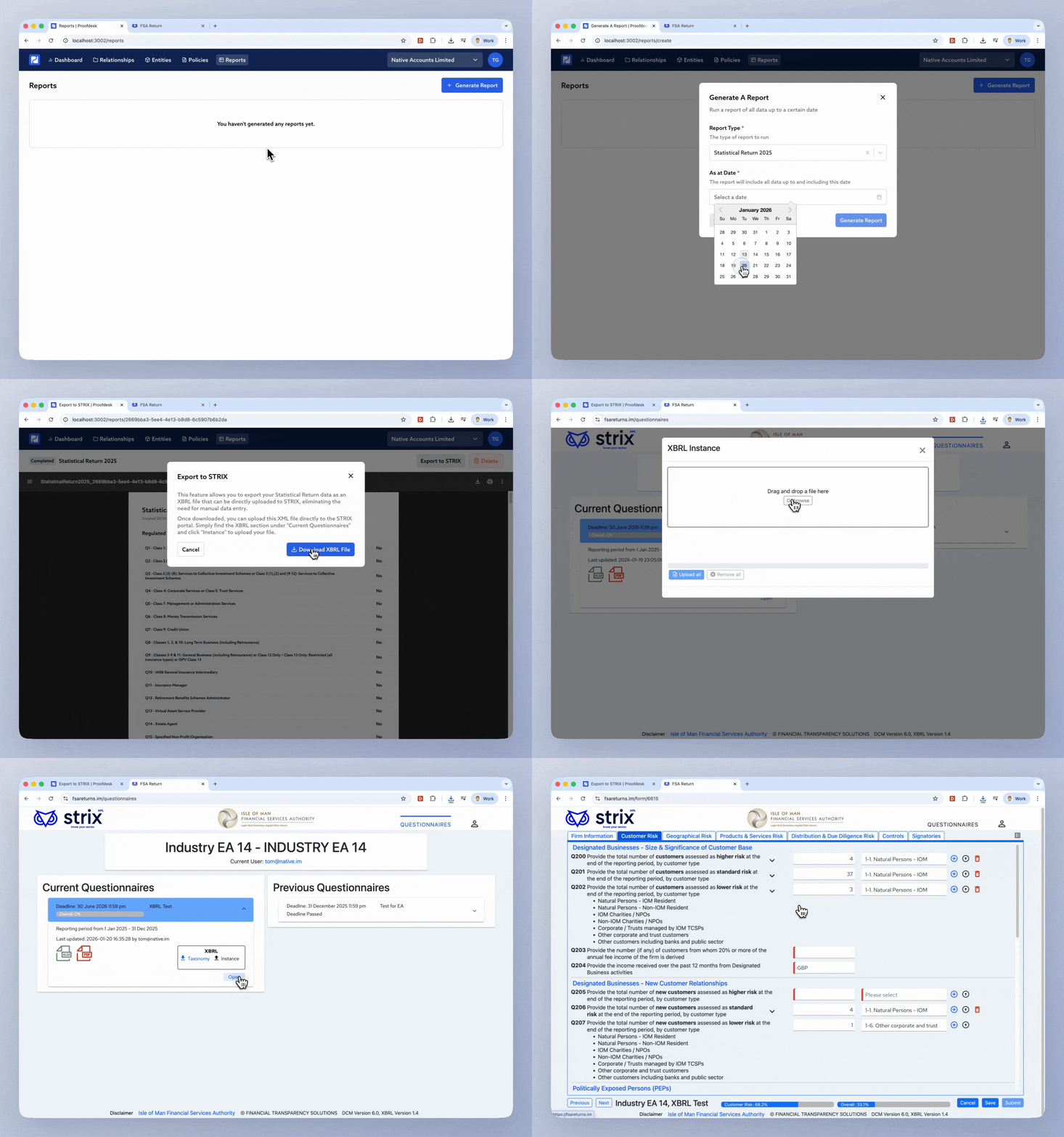
The 2025 Statistical Return report is now available in Proofdesk, updated to reflect this year's questions published by the FSA. The Analysis version of the report has also been updated and breaks down exactly which relationships and entities contribute to each total, making it straightforward to verify calculations and spot any missing data.
We've also made improvements to the performance of the Statistical Return calculations, meaning the report typically runs in under 15 seconds even for large customer-bases.
To run the report, go to Reports → + Generate Report → Select "Statistical Return 2025" → Enter 31st December as the As at date and generate the report.
For recommendations on how to get the most out of Proofdesk's Statistical Return feature, read our Help Centre Guide: How to Generate and Submit your Statistical Return.
Export to STRIX
The FSA has introduced XBRL upload to STRIX this year, and Proofdesk now supports it. You can export your Statistical Return data directly from Proofdesk and upload it to STRIX, eliminating the need to manually type answers into the STRIX interface. This saves significant time and eliminates manual mistakes.
When you run the standard Statistical Return report, you'll see an "Export to STRIX" button in the toolbar. Simply log in to STRIX and click "Instance" to upload the file, and your answers will be pre-populated. You can review everything, fill in any gaps, and submit.
We're aware of some gaps in the questions that Proofdesk can currently answer and we're working on another update which will allow you to capture additional data for these missing questions.
Other Improvements
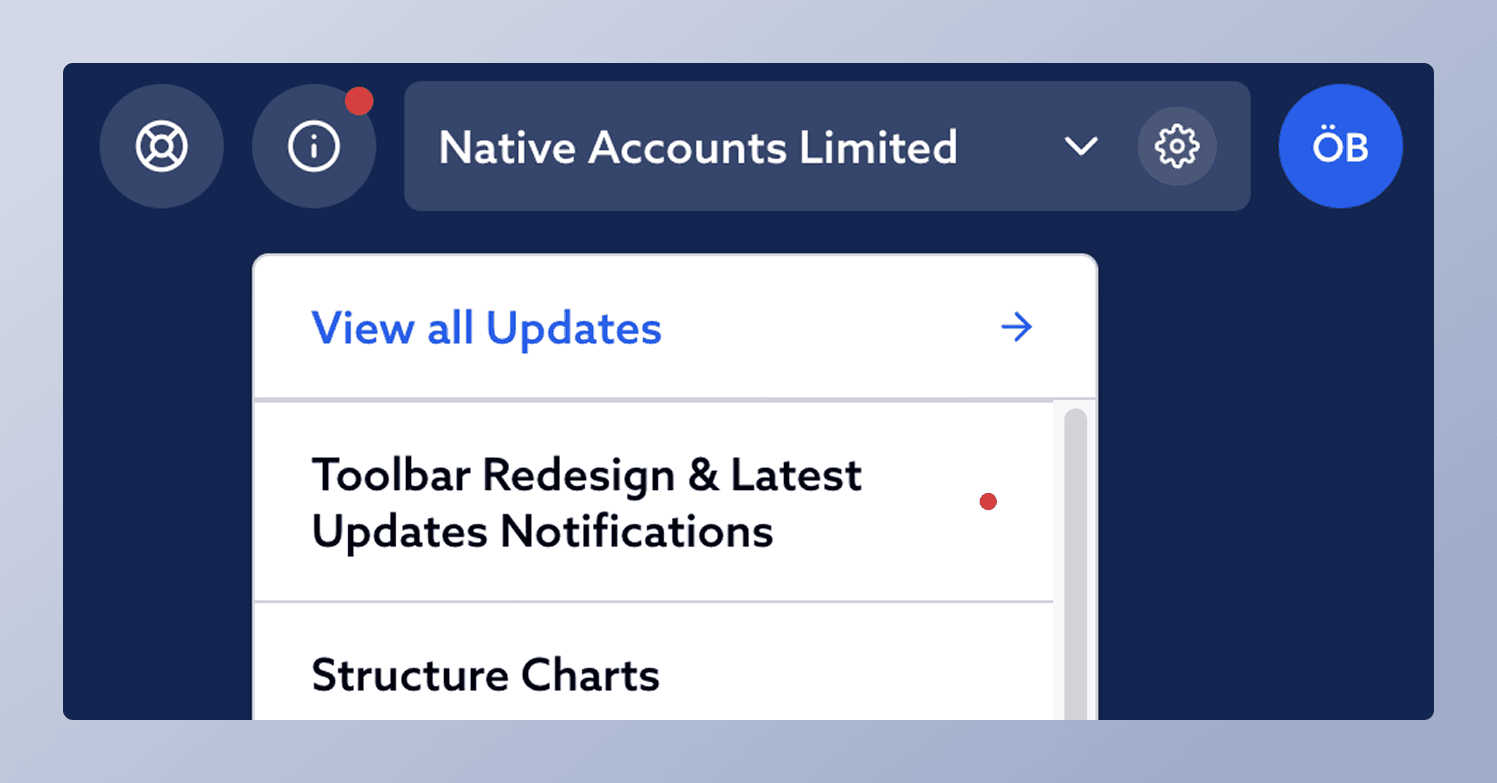
We’ve updated the design of the Organisation Toolbar to make the Organisation settings page accessible more quickly.
In addition, next to the toolbar we’ve added two new items:
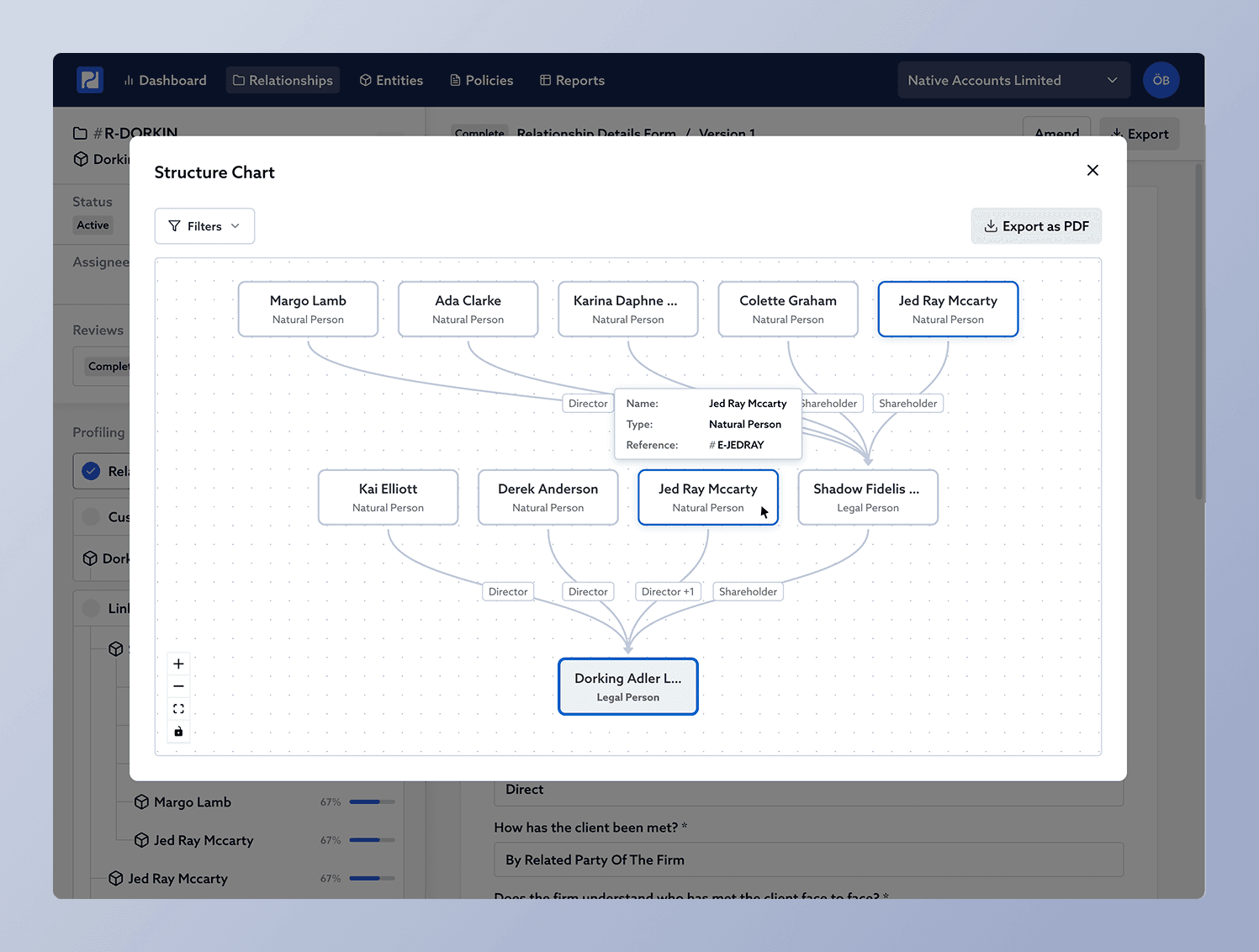
Due to popular demand, we are pleased to announce Proofdesk will now enable you to view entity structures as complete, interactive structure charts. We've heard from many compliance teams that this ability would vastly improve oversight into organisational structures stored within Proofdesk.
The new feature release will make it possible to:
From any entity's profile, you will now find the new "View Structure Chart" button in the Entity Sidebar, which opens the interactive structure chart in a modal.
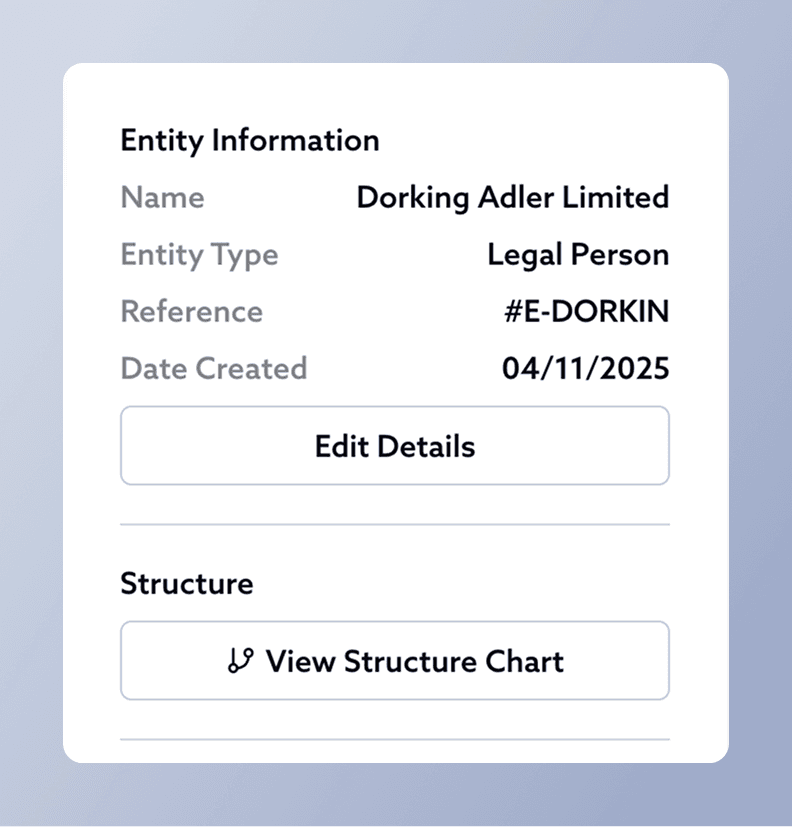
From any relationship profile, you will now find a small structure chart button in the "Customer" section in the Relationship sidebar, which opens the interactive structure chart in a modal.
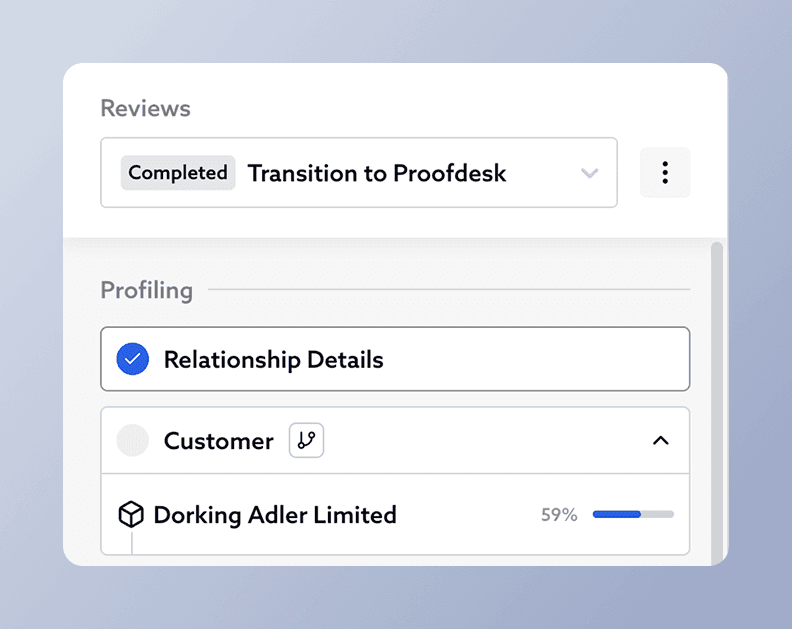
You will be able to export structure charts directly from the popup chart modal. Additionally, structure charts are automatically included on the cover page when exporting a complete entity PDF from an entity profile.
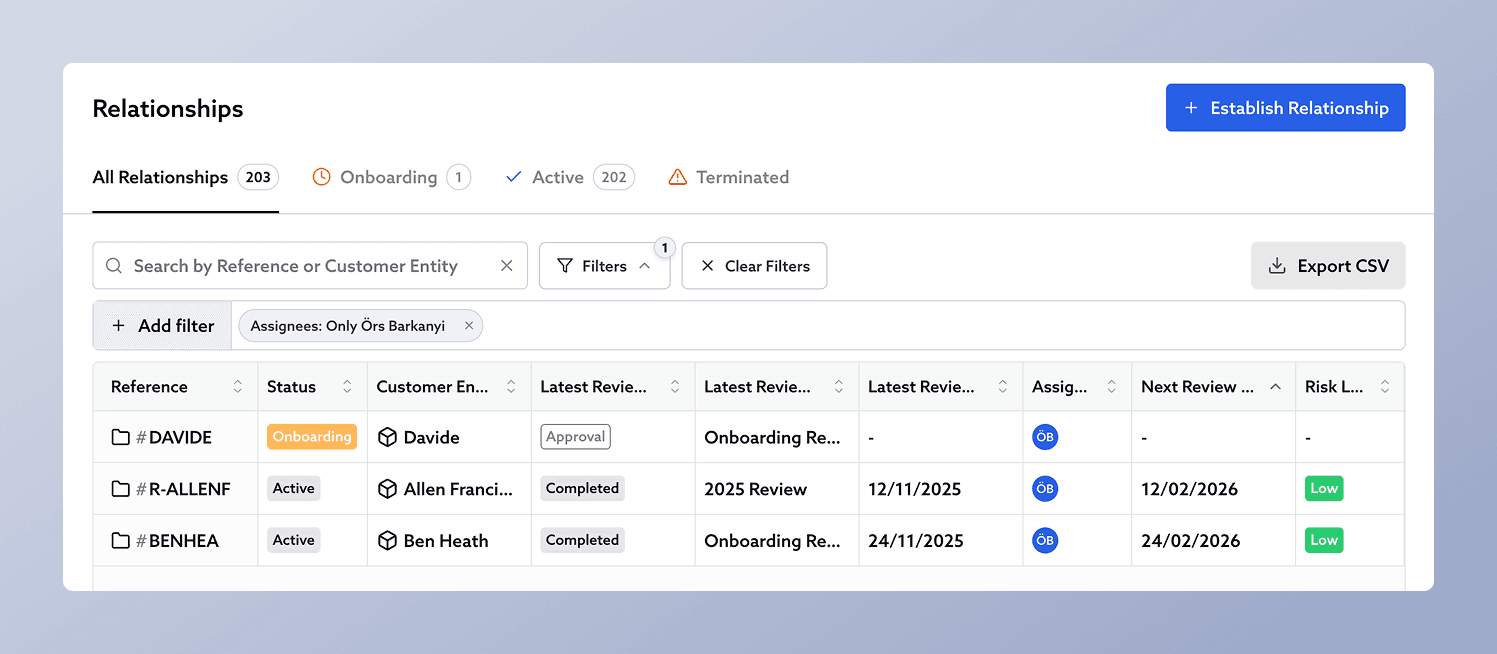
We've improved the way you search and filter data in Proofdesk. Tables now have improved full text search for key columns, and every column is filterable with your custom parameters.
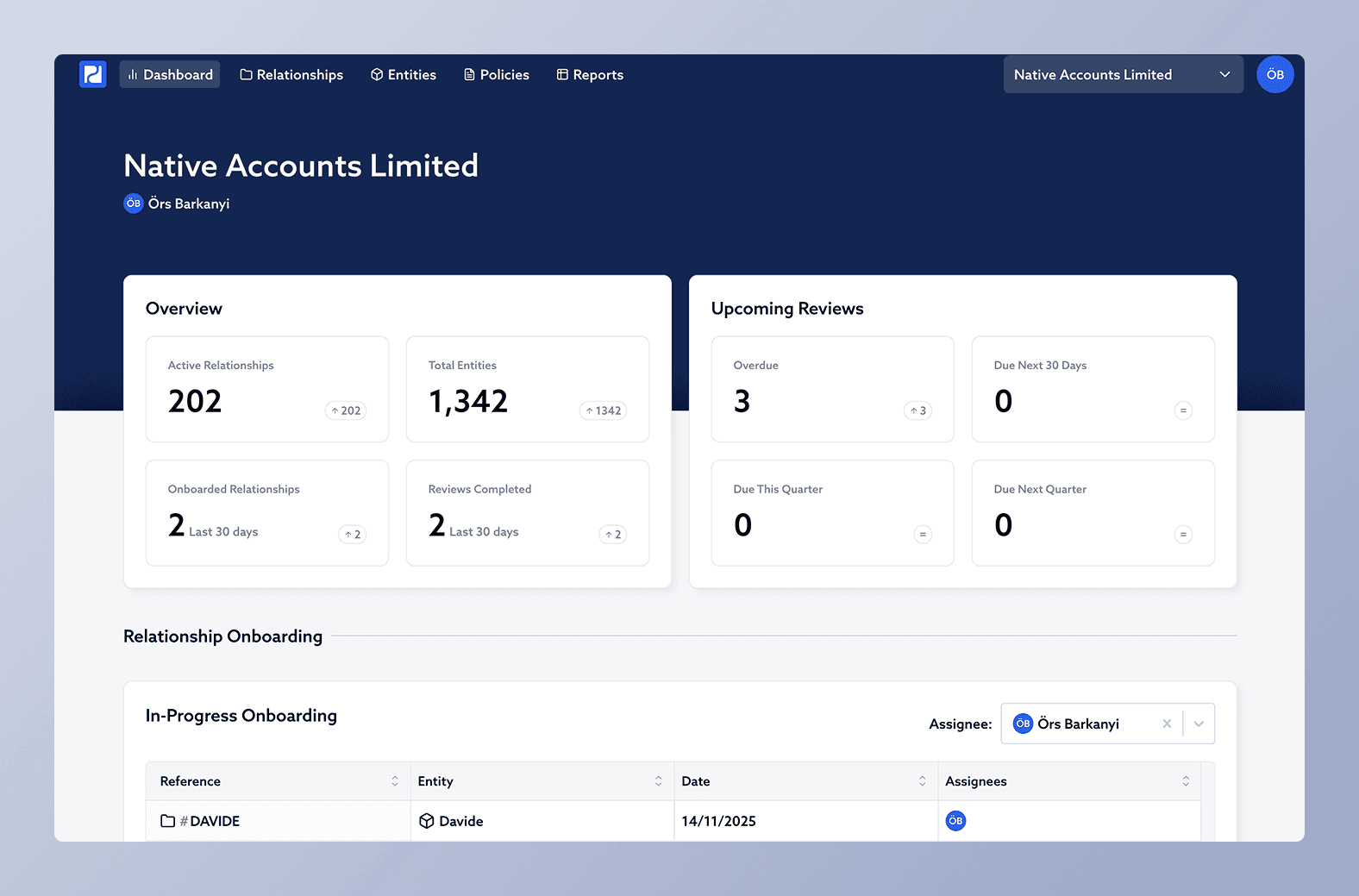
We've improved the way dashboard works in Proofdesk. This includes a visual refresh, more data, and the leveraging of tables to show lists more clearly. Each table shows the user's assigned items by default, but can also be used to see other users' assigned items as well as unassigned items. A full list of changes can be seen below:
Improvements in how figures are presented:
Additional Overview figures:
Added figures summarising the status of reviews in the system:
Lists of relationships matching these criteria can be seen in the Updated Relationship Reviews Section. Details below.
Better visibility of relationships currently in the 'Onboarding' stage, using a table filterable by assignees.
The Relationship Reviews section is now split into three tables, all filterable by assignees:
Relationships with an incomplete approval form are now listed in a table.
Policies with an upcoming review date are now listed in a table.
Improvements to risk overview:
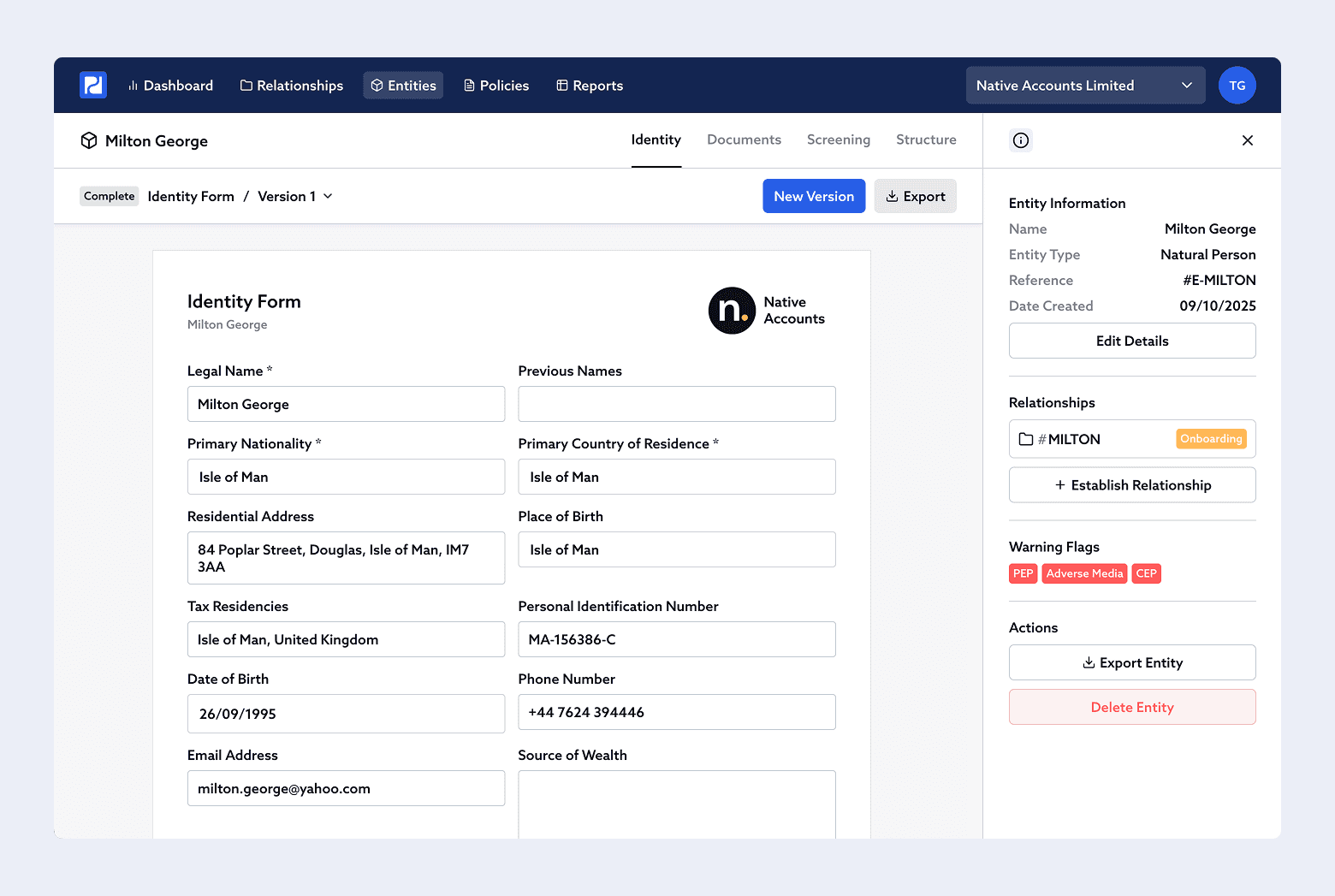
We’ve added a collapsible sidebar to Entities. It surfaces key metadata, links to relationships, warning flags, related entities, and quick actions, so you can stay focused on the record you’re viewing.
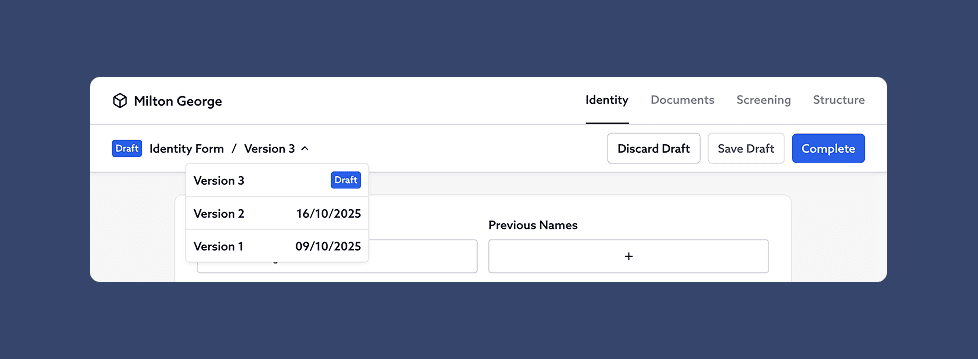
We’ve refreshed the toolbars in Proofdesk to make them cleaner, more consistent, and easier to use.
Actions like Save Draft, Complete, and New Version are now grouped together in a single, predictable location above each form - freeing up space and reducing visual clutter.
The version selector has also moved from the right to the left of the toolbar. It now displays the completion date of each version and clearly marks any versions still in draft, so it’s easier to see the status at a glance.
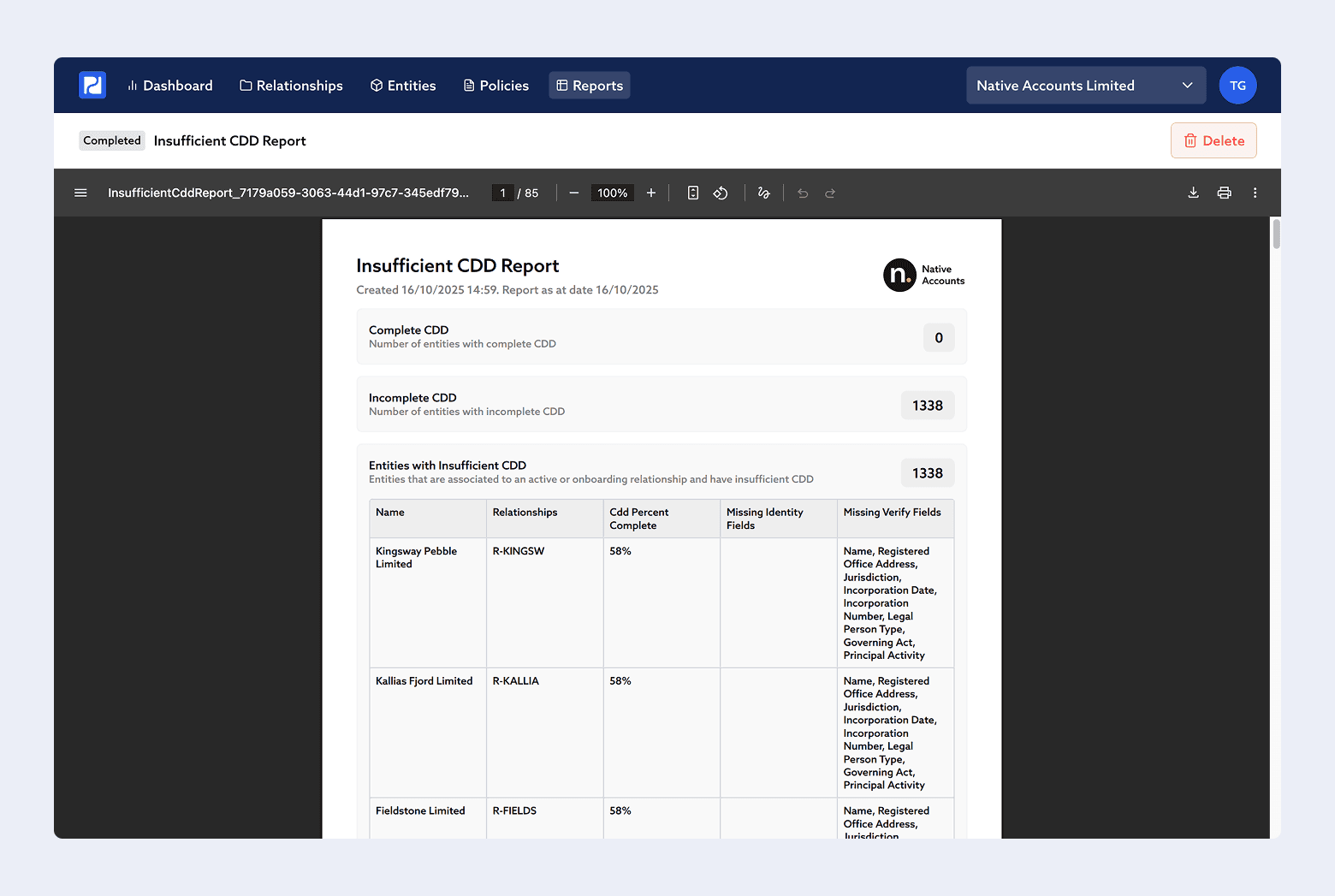
We’ve made improvements to how Reports work in Proofdesk.
You can now:
We’ve also added two new default report templates, available to all organisations:
Quickly see what Customer Due Diligence (CDD) information is missing across your client base.
This report shows:
This is especially helpful after updating your Identity Policy or completing a data migration, when you want a quick gap analysis of missing or outdated CDD.
Lists entities stored in Proofdesk that aren’t linked to any active or onboarding relationship.
Use this to identify:
This update introduces several quality-of-life improvements and bug fixes across Proofdesk. While there are no major new features this time, these changes should make day-to-day work smoother and more consistent.
It’s no longer a requirement to have a multiple-choice element in your Customer Risk Assessments. Organisations with no Risk Assessment Policies in their account will now automatically bypass the Initialise Template step and can proceed with a CRA immediately.
Many firms only have one Regulated Activity, making it repetitive to select the same option each time. The Regulated Activities dropdown in the Relationship Details form will now pre-populate automatically if only one Regulated Activity exists in your account.
Previously, clicking on an attachment more than 60 seconds after opening a form could trigger an XML “Request has expired” error. This has now been fixed for all Attachment and Multi-Attachment fields.
Resetting the template linked to a Customer Risk Assessment now shows an “Are you sure?” confirmation before wiping progress.
The sidebar on the Relationships page can now be resized. This is especially helpful when working with large structures, allowing full entity names to be visible. The width you set will persist from one relationship to the next.
Fixed an issue where the Latest Review Date displayed incorrectly for reviews that included an External Approval (commonly seen in migrated data). It now correctly shows the date from the External Approval itself.
Documents now include a Delete button in the Form Toolbar, allowing you to remove files uploaded in error. This action is protected by an “Are you sure?” message.
Fixed a small visual issue where the attachment loading spinner in Documents appeared disproportionately large.